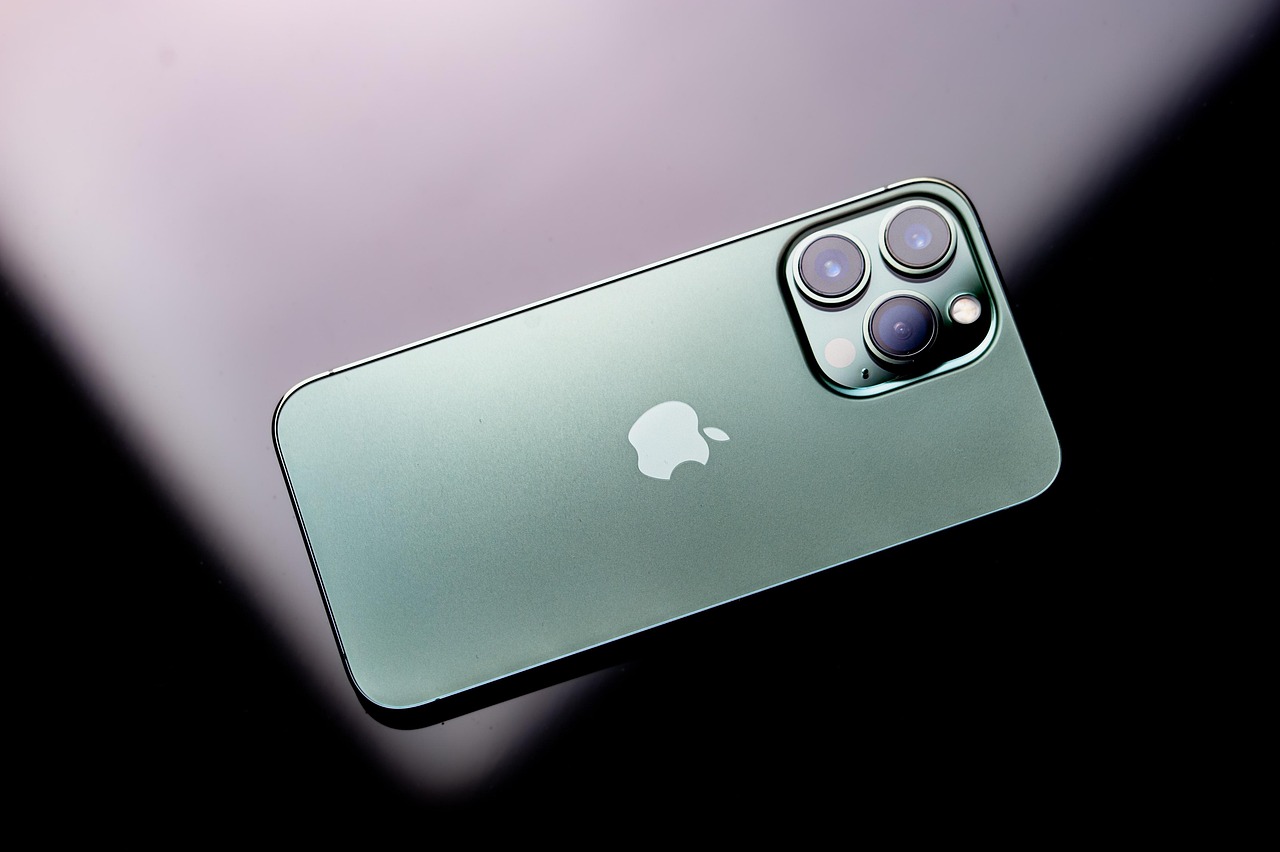

Verizon announced on October 16 that it will charge $10 a month for iPhone Handoff, the iOS 27 feature that lets one phone number work on two iPhones. It also said support is “coming soon,” with no date, while T-Mobile already offers the same feature for $5. This guide explains what the feature really is, what you need, what Verizon has not answered, and how to avoid paying for the wrong thing. Further down, it separates the older features people also call handoff: Wi-Fi Calling, Apple’s app Handoff, and moving a line to a new iPhone.
Key Answers Before You Spend Anything
Nine questions come up in every conversation about this feature. Short answers first, then the detail.
It is Apple’s iOS 27 feature that lets one phone number work on two separate iPhones. One iPhone is the main phone and the other is a secondary phone with a companion eSIM. When you unlock the one you want to use, cellular service switches to it. The number is active on only one iPhone at a time.
Verizon says $10 a month, announced October 16 alongside its iPhone Duo pre-orders. T-Mobile charges $5 a month for the same feature, so Verizon’s price is double and works out to $120 a year before taxes and fees.
Verizon calls it “coming soon” and has not given a start date. Apple said at launch that T-Mobile was its only U.S. carrier, and said Verizon would adopt the feature before the end of the year. The iPhone Duo reaches stores October 23, so a phone bought on day one may arrive before Handoff does.
Verizon’s announcement names the iPhone Duo and iPhone 18 Pro, running iOS 27. Apple’s requirement is two iPhones on iOS 27 or later. Whether other models qualify on Verizon has not been confirmed, so do not assume an older iPhone will be allowed.
Both iPhones on iOS 27 or later, signed in to the same Apple Account with FaceTime, iMessage and Messages in iCloud turned on, both on Wi-Fi during setup, and an eSIM from a carrier that supports the feature. Updating the software alone does not make the option appear.
No. Only one iPhone holds the active service at a time. A call already in progress is reported to stay on the phone that made or answered it, so unlocking the other iPhone mid-call will not move the call across.
No. Wi-Fi Calling moves a call between Wi-Fi and cellular, classic Apple Handoff continues an app on another Apple device, and Calls on Other Devices rings an iPad or Mac. iPhone Handoff is a number-switching feature between two iPhones. All the older meanings are covered further down.
Not reliably. Apple says it stays activated until you contact the carrier to turn it off, and warns that deleting the eSIM alone may not cancel the service or stop charges. Plan to call Verizon rather than assuming a settings toggle ends the bill.
The start date, whether the second iPhone needs its own line or plan, whether certain plans or accounts are excluded, and how billing works if you add or drop it mid-month. Wait for Verizon’s support page before you rely on the $10 figure as the whole cost.
What iPhone Handoff Actually Is
The idea in one picture: two phones, one line, and service that follows whichever you unlock.
For years, anyone carrying two iPhones, say a big one for work and a small one for travel, had three bad options. They could forward calls, pay for a second number, or physically move a SIM, which on an eSIM-only phone means repeating a transfer every time. Apple’s new iPhone Handoff replaces all three. Your main iPhone keeps its primary eSIM. Your carrier adds a companion eSIM to the second iPhone. From then on, unlocking whichever phone you want to use makes it the active one on the cellular network, with no manual transfer.
The naming is unfortunate, because Apple has used “Handoff” since 2014 for something entirely different: continuing an email or web page on another device. The new feature has nothing to do with that and nothing to do with Wi-Fi Calling. It is a way to share a cellular identity. As one tech outlet put it, do not confuse it with the Handoff that has existed on Apple devices for years. If you arrived here because an app will not follow you from iPhone to Mac, skip to the older-handoff section below.
Apple is clear about the design intent. It is built around one person moving between two devices, not several employees sharing a number across a pool of phones. That matters for small businesses, because a plan to hand a shared line to whoever is on shift will not fit how the feature works. It also explains the restrictions that follow, such as a single active phone and a main iPhone that controls the account-level settings.
In our review of Verizon’s October announcement and Apple’s published requirements, the confirmed facts fit on one hand: a $10 monthly price, a requirement for iOS 27, named compatible iPhones, a coming-soon status, and no date. Everything else you will read online, including exact menus, plan eligibility and billing details for Verizon, is either Apple’s general behavior or informed guessing. We keep the two separate below so you can see which is which.
What It Costs on Verizon, in Real Numbers
Verizon’s price is double T-Mobile’s, which compounds over time: $240 over two years against $120.
| Option | Monthly price | Status | Worth knowing |
|---|---|---|---|
| Verizon iPhone Handoff | $10 | Coming soon, no date | Names iPhone Duo and iPhone 18 Pro on iOS 27 |
| T-Mobile iPhone Handoff | $5 | Available | Apple’s U.S. launch carrier for the feature |
| Verizon: move line to a new iPhone | $0 for the move | Available | A one-time swap through the My Verizon app, not two phones sharing a number |
| Verizon cellular Apple Watch line | About $15 | Available | Different feature: the Watch only, not a second iPhone |
The $10 is the headline, but the useful question is what two iPhones cost in total. Reports on Verizon’s switcher offer put the iPhone Duo at $72 a month over 48 months with the Simplicity plan, described as roughly $42 for the phone and $30 for the plan. Add Handoff and the same arrangement lands near $82 a month. Treat that as a reasoned sum from reported figures, not an official quote, because Verizon has not published how Handoff bills alongside a specific plan.
The honest comparison is against the alternatives, not against zero. A second full line on Verizon costs a plan price, which is usually well above $10. Paying $10 to switch one number between two phones can be cheaper than a second line, but only if one number is genuinely all you need. If you want both phones reachable at once, Handoff will not do it, and a second line or a smartwatch-style shared number is the better tool.
Do the long arithmetic before you sign up. Ten dollars a month is $120 a year and $360 over a typical three-year phone payment period. If you only switch phones a few times a year, a free one-off eSIM transfer through the My Verizon app, which Verizon says carries no charge, may cover your real behavior at no ongoing cost. Handoff makes sense when you swap daily or weekly, not when you swap at a holiday.
Moving your existing line to a new iPhone is a one-time event. Verizon says doing it through the My Verizon app carries no charge, and it ends with the number working on the new phone alone. iPhone Handoff is a monthly service that keeps the number available on two phones. People searching “Verizon iPhone handoff” often want the first and read pricing for the second.
Requirements and Setup, Once Verizon Turns It On
The sequence Apple’s requirements imply. Verizon has not yet shown its own screens.
Apple’s requirements are consistent across the reports. Both iPhones run iOS 27 or later. Both are signed in to the same Apple Account, with FaceTime, iMessage and Messages in iCloud turned on, so texts follow you from one phone to the other. Both are on Wi-Fi during setup, and close to each other. And you need an eSIM from a participating carrier, which is the one requirement software cannot satisfy. Even on iOS 27, the option may not appear until the carrier and plan support it.
The setup path reported for T-Mobile is Settings > Cellular > Add eSIM or Set Up Cellular, then choosing the option to use the number on this iPhone and another, and picking which phone is the main one. After that, each number is enrolled separately, and both eSIMs switch together. If you have two lines on one iPhone, both lines must come from supporting carriers, and they switch as a pair. Once it is set up, switching is just unlocking the phone you want.
Replacing either phone resets the arrangement. If you get a new handset, the eSIM has to be transferred to it, which deactivates it on the old one. And turning the feature off is a carrier action. Apple says it remains on until you contact the carrier, and deleting the eSIM from a phone may not cancel the service or the charges. That last point is where people get billed for months after they stopped using the second phone.
Update both iPhones to the latest iOS 27 release. Confirm both are signed in to the same Apple Account. Turn on Messages in iCloud, FaceTime and iMessage on each. Check that each phone has a working Wi-Fi connection and is eSIM-capable. Then wait for Verizon’s announcement that the feature is live for your account before you buy anything on the strength of it.
If you plan to pair a new iPhone Duo with a phone you already own, check that the older phone is on iOS 27 and is one Verizon names. At present, Verizon’s announcement names only the Duo and the 18 Pro.
Limits, Gotchas and What Verizon Has Not Said
| Question | What is known | Confidence |
|---|---|---|
| Price | $10 a month | Confirmed by Verizon |
| Start date | Not announced; “coming soon” | Confirmed gap |
| Compatible iPhones | iPhone Duo and iPhone 18 Pro named; Apple requires iOS 27 | Confirmed for named models; others unconfirmed |
| Second phone needs its own line? | Not stated | Unanswered |
| Plan or account restrictions | Not stated | Unanswered |
| Mid-month billing | Not stated | Unanswered |
| Both phones active at once | No, only one at a time | Apple behavior |
| Call in progress when you switch | Reported to stay on the phone that took the call | Reported by a carrier via press |
Two limits are worth reading slowly. First, the main iPhone controls certain carrier services. Call Forwarding, Caller ID and account management can only be managed there, so if you travel with the second phone and need to change forwarding, you will need the main phone in reach. Second, switching is not a handover of a live call. A call that is already in progress stays on the phone that made or picked it up, so unlocking your other iPhone mid-call will not carry the conversation across.
The unanswered items matter more than the confirmed ones. Verizon’s own announcement did not say whether customers must hold a particular plan, whether the companion phone needs its own service line, or how billing works if you add or remove Handoff partway through a month. Those are the questions that decide whether $10 is the total. Until Verizon publishes its support page, the careful reading is that $10 is the advertised add-on price and the rest of the bill is unknown.
Apple warns that deleting the eSIM alone may not cancel the service or stop the charges, and that Handoff stays on until you contact the carrier. If you stop using a second phone, call Verizon or use My Verizon to remove the feature, and check the next bill for the $10 line. Put a reminder in your calendar for the first billing cycle after you end it.
Should You Pay for It? Situations Worth Thinking Through
The Duo reaches stores October 23, and Verizon has not tied Handoff to that date. Plan to carry the Duo as your only phone at first, and treat Handoff as a later add-on. If you are keeping an older phone as a backup, keep using your existing arrangement until Verizon confirms the feature is live, rather than paying early for something that cannot be set up yet.
This is the textbook use. If you carry a pocketable phone off duty and a larger one for work, Handoff gives you one number for both without forwarding. Check your employer’s rules first. If the work phone is company-managed and signed in to a different Apple Account, Apple’s same-account requirement will block it, because both iPhones must share one Apple Account.
For a trip, you may only need the second phone for a week or two. Because removal needs carrier involvement, the right move is to compare $10 a month against the cost of leaving the feature on after you return. If you only need a spare for a few days a year, a one-time eSIM transfer may be cheaper than a subscription.
Apple requires iOS 27 and an eSIM, but Verizon’s announcement names only the iPhone Duo and 18 Pro. Whether an older model will be allowed has not been stated, so do not assume. Check Verizon’s support page when it appears, and be wary of third-party pages claiming a complete compatibility list. A phone that can run iOS 27 is not automatically a phone Verizon will provision.
T-Mobile’s $5 price is half of Verizon’s, but a $60 yearly difference rarely justifies changing carriers. Coverage at your home and work, your current plan price, and device payments outweigh it. If your decision is already close, the Handoff price can tip it. If it is not close, ignore it.
No. Apple designed the feature around one person using two iPhones, and both must be signed in to the same Apple Account. It is not a way to share a line across a household or a team. For that, use call forwarding, a shared voicemail, or a separate line.
The Older Things People Also Call Handoff
One iPhone, four separate features. Settings for one do not change the others.
| What it is | Who runs it | What it needs | Extra cost |
|---|---|---|---|
| Call moves between Wi-Fi and cellular | Verizon network plus iOS | Wi-Fi Calling on, a usable signal on both sides | None for the feature itself |
| Apple Handoff for apps | Apple only | Same Apple Account, Wi-Fi, Bluetooth, Handoff on | None |
| Calls on iPad, Mac or Watch | Verizon and Apple | Wi-Fi Calling on the iPhone, Calls on Other Devices allowed | None for iPad or Mac; a watch line for cellular Watch |
| Moving your line to a new iPhone | Verizon account plus Apple setup | Wi-Fi, same iCloud for Quick Transfer, or the My Verizon app | Move is free via the app; device fees depend on purchase |
| Apple Watch on your number | Verizon Number Share | Cellular Watch, a Watch line on your plan | Commonly about $15 a month |
We separate these because the support threads people land on usually answer the wrong one. A person who cannot see the Handoff icon on a Mac reads a Wi-Fi Calling guide for an hour. A person whose calls drop in the bedroom toggles Bluetooth. In our review of Apple’s and Verizon’s published instructions, the settings live in entirely different places: call features sit under Phone settings, app Handoff sits under General, and line moves run through My Verizon or the setup assistant. Start by choosing the row that matches your problem.
When a Call Has to Move Between Wi-Fi and Cellular
Wi-Fi Calling lets your iPhone place and receive calls over a Wi-Fi network when the cellular signal is poor, and Apple describes a straightforward behavior for newer phones: a VoLTE call also switches to Wi-Fi when a Wi-Fi connection becomes available, and a call that starts on Wi-Fi can continue on cellular. The same Apple documentation adds a warning that matters for older hardware: on earlier iPhone models, and on an iPad, iPod touch or Mac, a call is dropped if you lose the Wi-Fi connection. In other words, the smooth handoff belongs to the iPhone, and it depends on the network you are leaving and the network you are moving to.
Verizon has long tied Wi-Fi Calling to its Advanced Calling feature, sometimes labeled HD Voice, which is the carrier’s name for calling over the LTE data network. On current accounts that is normally already on, so most people never touch it. If the Wi-Fi Calling switch is missing from your iPhone entirely, that is the first place to look: check the line’s Advanced Calling status in My Verizon and update carrier settings when the phone offers them.
The failure zone is not “Wi-Fi” or “cellular.” It is the stretch where one has faded and the other has not yet become usable.
That picture explains most complaints. Picture a house with strong Wi-Fi in the living room, a hill that blocks the tower, and usable cellular only near the driveway. A call begun on Wi-Fi in the living room is fine. Walk toward the front door and the Wi-Fi weakens; the phone looks for cellular, finds almost nothing, and the call has nowhere to go. Verizon community threads describe exactly this pattern, including a subscriber with one or two bars at home whose calls dropped after fifteen to thirty minutes even with Wi-Fi Calling and VoLTE on. The phone is not failing at handoff. It is attempting a handoff into a dead zone.
The honest consequence is that no setting repairs a place with no usable cellular signal. What you can change is the Wi-Fi side. A stable Wi-Fi connection that reaches where you stand, such as an access point or mesh node placed near the problem room, lets you finish the call on Wi-Fi without needing cellular at all. For the walk-out-the-door problem, place the coverage so the Wi-Fi extends to the driveway or the yard, closing the gap in the picture above.
Open Settings > Apps > Phone > Wi-Fi Calling, or Settings > Cellular > Wi-Fi Calling on older layouts, and switch on Wi-Fi Calling on This iPhone. If you have a second eSIM line, choose the line first. Enter or confirm your emergency address when prompted. That step is not paperwork: when you call 911 over Wi-Fi, emergency services use the address you registered rather than your live location, so a stale address sends help to the wrong place.
Apple also notes that while you are on Wi-Fi Calling, your iPhone may not receive wireless emergency alerts. If you rely on those alerts in a basement or a home with spotty cellular, keep that in mind and treat Wi-Fi Calling as a calling tool, not a replacement for a working cellular signal.
Apple’s own troubleshooting says not all Wi-Fi networks work with Wi-Fi Calling, and its first steps are to connect to a different network and to turn Wi-Fi Calling off and on again. Hotel, airport and campus networks that require a sign-in page, and office networks with strict firewalls, are common culprits. A router feature that rewrites call traffic, often labeled SIP ALG, is another one worth trying to disable if your home network drops calls while other apps work fine.
If a call works on your phone’s hotspot and fails on a particular Wi-Fi network, the network is the problem, not the iPhone or the account.
Apple Handoff for Apps: Why the Icon Will Not Appear
Apple Handoff is the feature that lets you start something on one device and finish it on another: a half-written email on the iPhone that opens in Mail on the Mac, a web page that follows you from the iPad. It is part of what Apple calls Continuity, and it has nothing to do with Verizon. The carrier is not in the path, no cellular data is used, and no Verizon setting enables or blocks it. Apple’s published requirements are short: the devices must meet Continuity system requirements, have Wi-Fi, Bluetooth and Handoff turned on, and be signed in with the same Apple Account.
On an iPhone or iPad, the switch lives at Settings > General > AirPlay & Handoff. On a Mac it is in System Settings under General, labeled as allowing Handoff between the Mac and your iCloud devices. On an Apple Watch, open the Watch app on the iPhone and enable Handoff under My Watch > General. Apple’s support guidance for a missing icon is the same checklist in the same order: confirm the same Apple Account, confirm Wi-Fi and Bluetooth are both on, keep the devices close together, and check that Handoff is enabled on each one.
The detail that trips people up is proximity. Handoff relies on Bluetooth to discover nearby devices, and the commonly cited range is about 33 feet. A Mac in a home office and an iPhone in the kitchen two rooms away may simply be out of range, and the symptom looks exactly like a broken feature. In our review of the troubleshooting steps, moving the two devices within arm’s reach cleared more “missing icon” cases than any settings change, which makes it the cheapest first test.
Work down the list and stop when it appears. Both devices signed into the same Apple Account. Wi-Fi on for both. Bluetooth on for both. Handoff switched on in each device’s settings. Devices within Bluetooth range. Both running software that meets the Continuity requirements for your models. And a restart of both if nothing else changes anything.
If you use a managed Apple Account at work on one device and a personal one on another, they are different accounts, and Continuity features will not connect them. That mismatch accounts for a surprising share of “it worked yesterday” reports after someone signs into a new device with a different email.
A frequent confusion: people expect Apple Handoff to carry a live phone call from the iPhone to another device. It does not. Moving a call is the job of Wi-Fi Calling and Calls on Other Devices, covered next, and those depend on your Verizon line. Handoff handles apps and documents; the call features handle voice.
Making Your iPad, Mac or Apple Watch Ring for Verizon Calls
This is the feature most people really want when they say handoff: pick up a call on the Mac without reaching for the phone. Apple calls it Calls on Other Devices, and Verizon’s own support page for it gives the same path, adding that you should be on the same Wi-Fi network and signed in with the same Apple Account on every device. The iPhone side is under Settings > Apps > Phone > Calls on Other Devices. Turn on Allow Calls on Other Devices, then switch on each device you want. For first-time setup, tap Add Wi-Fi Calling for Other Devices, which is what lets an iPad or Mac take calls when the iPhone is not even in the room.
Then the other half. On the Mac, open FaceTime, go to its settings and turn on Calls from iPhone. On an iPad, the same switch is in Settings > FaceTime. Apple lists a few conditions worth knowing: Wi-Fi Calling on other devices is available with some carriers, cellular charges may apply, and if you sign out of iCloud or FaceTime on the iPhone, Wi-Fi Calling for the other devices is disabled. Verizon appears on Apple’s list of carriers that support Wi-Fi Calling on iCloud-connected devices, which is why the feature exists on your account at all.
One limit surprises people. Apple states that on an iPad, iPod touch or Mac, a call is dropped if you lose the Wi-Fi connection. There is no cellular network on those devices for the call to land on, so walking from the Wi-Fi in the office to the kitchen where it is weak ends the call. Treat the Mac and iPad as Wi-Fi-only call devices and finish important calls on the iPhone.
A cellular Apple Watch uses Verizon Number Share to carry your iPhone’s number on its own eSIM line. Verizon raised smartwatch lines from $10 to $15 a month on most plans in 2024, so budget around that and confirm the current figure on your plan. Apple enables Wi-Fi Calling for the Watch automatically once Allow Calls on Other Devices is on, and a Watch with an active plan can take calls over cellular when the iPhone is left behind.
A GPS-only Watch needs no plan. It works over Bluetooth or Wi-Fi when the iPhone is nearby, and it will not make calls on its own.
If a call rings on the Mac but fails to connect, check that the iPhone still has Wi-Fi Calling on and is on a network where it can reach Verizon. A Mac that shows “Calls from iPhone” enabled but gets no ring usually points back to the iPhone’s Calls on Other Devices list, where the Mac has to appear and be switched on.
Moving Your Verizon Line to a New iPhone
This is where people use the word handoff to mean “hand my number to the new phone,” and it is where the stakes feel highest, because a mistake can leave you without service. The process is simpler than it was a few years ago. Verizon’s own page on activating a new iPhone notes that iPhone 14 and newer do not have a physical SIM option and can only be activated with an eSIM, which means there is no tray to move and no card to mail. Wi-Fi is recommended for the setup, and on the older iPhone 13 an eSIM activation requires Wi-Fi.
There are three realistic paths. The first is the My Verizon app. Verizon says you can move an existing mobile number to another eSIM-capable smartphone through the app, you will not need an IMEI or SIM number, you do not have to scan a QR code, and there is no charge for moving the line. You connect the new phone to Wi-Fi, install the latest My Verizon app, sign in, and follow the prompts. The second is eSIM Quick Transfer, where during setup the new iPhone offers to transfer your plan from a nearby iPhone. The third is a QR code or carrier-assisted activation, useful when the other two do not work, or when you are moving from a non-Apple phone, where Apple says you must contact the carrier to transfer the number.
The sequence that avoids most “No Service” surprises.
| Method | Best when | You need | Watch out for |
|---|---|---|---|
| My Verizon app | The new phone is an eSIM iPhone and the old phone is unavailable or already reset | Wi-Fi, latest app, your Verizon sign-in | App must be signed in to the right account; no fee for the move per Verizon |
| eSIM Quick Transfer | Both iPhones are in your hand during setup | Same iCloud, two-factor on, passcode set, Wi-Fi, phones close together | Do not turn off either phone until it finishes |
| QR code or carrier activation | The first two fail, or the source phone is not an iPhone | Verizon support or a store, a QR code or digital eSIM | May involve a call or visit; ask about any fees up front |
| Verizon store or phone support | You want someone else to run it | ID and account PIN | Store upgrades can carry fees the app route avoids |
The preparation steps matter more than the transfer itself. Update both iPhones. On the old one, turn off Find My and power it off if you are retiring it; Verizon’s activation instructions include that step. Keep the phones near each other, charged, and on Wi-Fi for the whole transfer. Apple’s guidance for Quick Transfer says both phones should be signed into the same iCloud account with two-factor authentication, have a passcode, and stay close together while the plan moves. After the transfer, give it time. Verizon’s own instructions say to wait two to three minutes for the status bar to change from “No Service” or “SOS” to Verizon, which is longer than most people wait before panicking and restarting.
One new capability is worth knowing. Apple says that with iOS 26 you can transfer more than one phone number to your new iPhone during setup, which helps anyone carrying a work line or a second eSIM. If you have two lines, do them one at a time and confirm each one before starting the next.
Once the transfer completes, the old phone no longer carries your service, but it is still your only fallback if the new one misbehaves. Make a call to a friend, send a text, load a web page on cellular data with Wi-Fi off, and check that a call received from another phone rings. Only after those tests pass should you erase the old iPhone, sign out of iCloud, and send it to trade-in.
If the new phone still shows No Service after several minutes, restart it, make sure Airplane Mode is off, confirm the cellular plan appears under Settings > Cellular and is switched on, and if it is not there, use the My Verizon app to get a new eSIM profile. Verizon’s app offers “Activate or get SIM” for a lost or deleted profile.
Verizon has historically charged a one-time fee, up to $40, when you activate a device or upgrade. In mid-June, trade press reported that Verizon launched a free loyalty program and that customers can opt in to waive activation and upgrade fees through it. We could not verify the fine print on Verizon’s own pages, so treat that as a reported change: open My Verizon, look for the loyalty enrollment, and see whether the fee line disappears before you check out. Buying online has also, in the past, cost less in fees than buying in a store.
Moving a line you already have to an eSIM phone you already own through the app is a separate matter from buying a phone from Verizon, and Verizon says the app route has no charge.
Find Your Situation: What to Do Next
Ten common situations with the shortest path to a fix. Jump to yours.
This is the walk-out problem from the picture earlier. Your Wi-Fi fades before your cellular signal becomes usable, and the call falls through the gap. Test it deliberately: start a call, walk the same path, and notice where it breaks. If it breaks at a consistent spot, that is where one network ends and the other has not started.
The durable fix is to extend whichever network you control. Place a Wi-Fi access point or mesh node so coverage reaches the door and driveway. If cellular is the weak side everywhere in the house, ask Verizon about in-home coverage options for your address, because a signal booster or network extender solves a different problem than any phone setting.
If your cellular signal is decent, the phone may simply prefer it, and the Wi-Fi Calling indicator in the status bar will not appear. A Wi-Fi call shows “Verizon Wi-Fi” in the status bar. If you never see that label even in a weak-signal room, turn Wi-Fi Calling off and back on, restart the phone, and make sure the emergency address is confirmed, because the feature can stay inactive until registration completes.
Some people disable VoLTE or LTE while troubleshooting. That can make things worse, since Verizon’s Wi-Fi Calling relies on its Advanced Calling features. Leave those on while you test.
Captive-portal networks and corporate firewalls often interfere with Wi-Fi Calling. Apple’s own advice is to connect to a different Wi-Fi network when calls misbehave. If the phone has a working cellular signal, turn Wi-Fi off for the call, or use your personal hotspot from another device.
Traveling abroad adds a separate question. Whether Wi-Fi calls abroad are charged depends on your plan and trip features, so check your Verizon plan’s international terms before leaning on Wi-Fi Calling overseas.
When one device works and another does not, the difference is almost always a setting on the one that fails. Check that the Mac appears in the Allow Calls On list on the iPhone, that Calls from iPhone is on in the Mac’s FaceTime settings, and that the Mac is signed into the same Apple Account. If everything looks right, toggle Allow Calls on Other Devices off and on at the iPhone, which re-registers the devices.
Remember the Wi-Fi-only rule. The Mac will not hold a call if its Wi-Fi drops. For important calls, use the iPhone.
First, wait. Verizon says activation can take two to three minutes before the status bar changes to Verizon. Then restart, confirm Airplane Mode is off, and open Settings > Cellular to see whether the Verizon plan is listed and on. Missing plan: use the My Verizon app on the new phone, sign in, and choose the option to activate or get a new eSIM.
If you switched from a phone bought elsewhere, the new iPhone has to be unlocked for Verizon. A phone still locked to another carrier will not take the line, so ask the original carrier to unlock it before you buy.
You do not need the old phone to move your number. The My Verizon app on the new iPhone can move the line for you, without an IMEI or SIM number, and it is free. If the app cannot sign you in, Verizon support can send a digital eSIM or QR code, but have your account PIN ready.
Do not skip security. When you cannot transfer from the old phone, sign into the app with your own account and be wary of anyone texting or calling to offer to “handle the transfer” for you.
Do it in daylight hours with patience. Set Wi-Fi Calling and the emergency address first, because that address matters most to the person least likely to remember to update it. Print or write down the steps for turning Wi-Fi Calling off, so they can follow them later.
Check that Calls on Other Devices is not accidentally ringing a Mac in another room. A phone that rings in two places confuses people. If they do not use an iPad or Mac for calls, turn the allowance off.
A second eSIM line is handled separately. Wi-Fi Calling is set per line, so tap the line you want under Settings > Cellular before you toggle the feature. When transferring to a new phone, do the lines one at a time and confirm each before starting the next.
For travel, a second eSIM for local data can sit beside your Verizon line, but note that Verizon Wi-Fi Calling follows the Verizon line, not whichever line is carrying data.
You can, and it works, but the dispatcher is directed to the emergency address you registered, not your live location. If you are away from that address, say where you are right away. A phone moved to a new home with an old emergency address is the classic problem. Update the address when you move, and again when you travel for long stays.
Symptom, Likely Cause and First Fix
A fast lookup for when you do not want to read. Start at the top of the “First fix” column and work down.
| Symptom | Likely cause | First fix | If that fails |
|---|---|---|---|
| Call drops walking out of the house | Weak cell where Wi-Fi fades | Test the path; extend Wi-Fi to that spot | Ask Verizon about in-home coverage |
| No Wi-Fi Calling switch | Advanced Calling or carrier settings | Update carrier settings; check Advanced Calling in My Verizon | Contact Verizon support |
| Wi-Fi calls fail on one network | Network blocks call traffic | Try another Wi-Fi network | Disable SIP ALG on your router if you control it |
| Handoff icon missing | Different account, no Bluetooth, out of range | Same Apple Account, Wi-Fi and Bluetooth on, move close | Toggle Handoff off and on; restart both |
| Mac or iPad will not ring | Calls on Other Devices or Calls from iPhone off | Enable both switches | Toggle Allow Calls on Other Devices |
| New iPhone says No Service | Activation still finishing or no eSIM profile | Wait 2–3 minutes; restart | Use My Verizon to get a new eSIM |
| Transfer stuck | Phones too far apart or Wi-Fi unstable | Keep phones close, on Wi-Fi, charged | Use the My Verizon app route |
Two habits make the table work. Change one thing at a time, so you know what fixed it. And test after every change with a real call rather than a glance at the status bar, since an icon can look right while the call still fails.
The Details That Save an Afternoon
Some of the most useful advice here is about what not to do. People under pressure restart a phone repeatedly, reset network settings, and reinstall apps in the first five minutes, and each of those steps has a cost. Resetting network settings clears saved Wi-Fi passwords and cellular settings, which is a reasonable late step but a bad first one. Erasing a phone removes your fallback. Toggling a feature on and off is free, takes ten seconds and is how Apple’s own guidance begins, so begin there.
It also helps to understand why these features feel flaky even when they are working as designed. Wi-Fi Calling and cellular calling are two independent paths, and the phone decides between them moment by moment based on signal quality. A call that sounds fine for twenty minutes can fail the moment someone microwaves lunch near the router or the neighbor’s signal overlaps yours. Nothing about the iPhone is broken. The handoff is a decision made on measurements, and when both measurements are marginal, the decision can be wrong.
The other lesson from reading the support threads is that the phrase “Verizon is not willing to fix it” shows up often, usually after a customer was told to turn on Wi-Fi Calling without anyone looking at the actual coverage. A fair reading is that the carrier cannot always fix a dead zone, but you can still gather evidence. Note the address, the rooms, the times, whether the status bar showed Verizon Wi-Fi, and what bars you had. Support teams can act on specifics. “Calls drop” is a complaint; “calls drop in the back bedroom at this address, with one bar and Wi-Fi Calling on” is a ticket.
Finally, keep your account safe during any transfer. A line move is exactly what a thief wants to do to your number, and SIM-swap fraud is a real risk. Use a unique account PIN, turn on any extra account protections Verizon offers, and be cautious about texts or calls urging you to approve a transfer you did not start. If a transfer notification arrives and you did not request it, contact Verizon immediately from another phone.
Contacts, Free Tools and Quick Cost Reference
Official channels first. Verizon and Apple handle different halves of this problem, so know which one to call.
Verizon owns your line, Advanced Calling, activation, eSIM profiles and fees. Apple owns Handoff, Continuity, Calls on Other Devices settings and the iPhone itself. If your question is about the number or the bill, call Verizon. If it is about how your Apple devices talk to each other, call Apple. If the problem is an area with poor coverage, only Verizon can talk about the network.
If an issue is not resolved after repeated contacts, the Federal Communications Commission accepts complaints about carriers at no charge.
A cheat sheet of what appeared above.
This page is independent educational content and is not affiliated with Verizon or Apple. Menus and steps vary by iOS version and by account type, and prepaid and Visible lines can follow different rules. Prices and fees change; confirm current figures in My Verizon before you buy or activate. Reported changes, such as a fee waiver through a loyalty program, were described by trade press and should be confirmed with Verizon. Information reflects published materials available in autumn 2026.
Key sources: Apple Support (Wi-Fi Calling, Handoff, Continuity, eSIM setup) · Verizon support pages (My Verizon app eSIM moves, Wi-Fi Calling, Calls on Other Devices, activating a new iPhone, upgrades) · Verizon press releases · wireless trade press · Verizon community threads for reported user experiences.
Featured image: Photo by Photoshoot4You on Pixabay · Pixabay Content License